
Conversion Tracking Revenues
Learn how to customize event selection in AnyTrack to aggregate values into revenue metrics. Enhance your campaign reports with accurate data insights. Step-by-step guide and FAQs included
What is Conversion Event Selection?
Section titled “What is Conversion Event Selection?”Customize which tracked events (like Purchase, Lead, or ViewContent) count toward your revenue calculations. Include other valuable customer actions beyond purchases to get a complete picture of campaign performance.
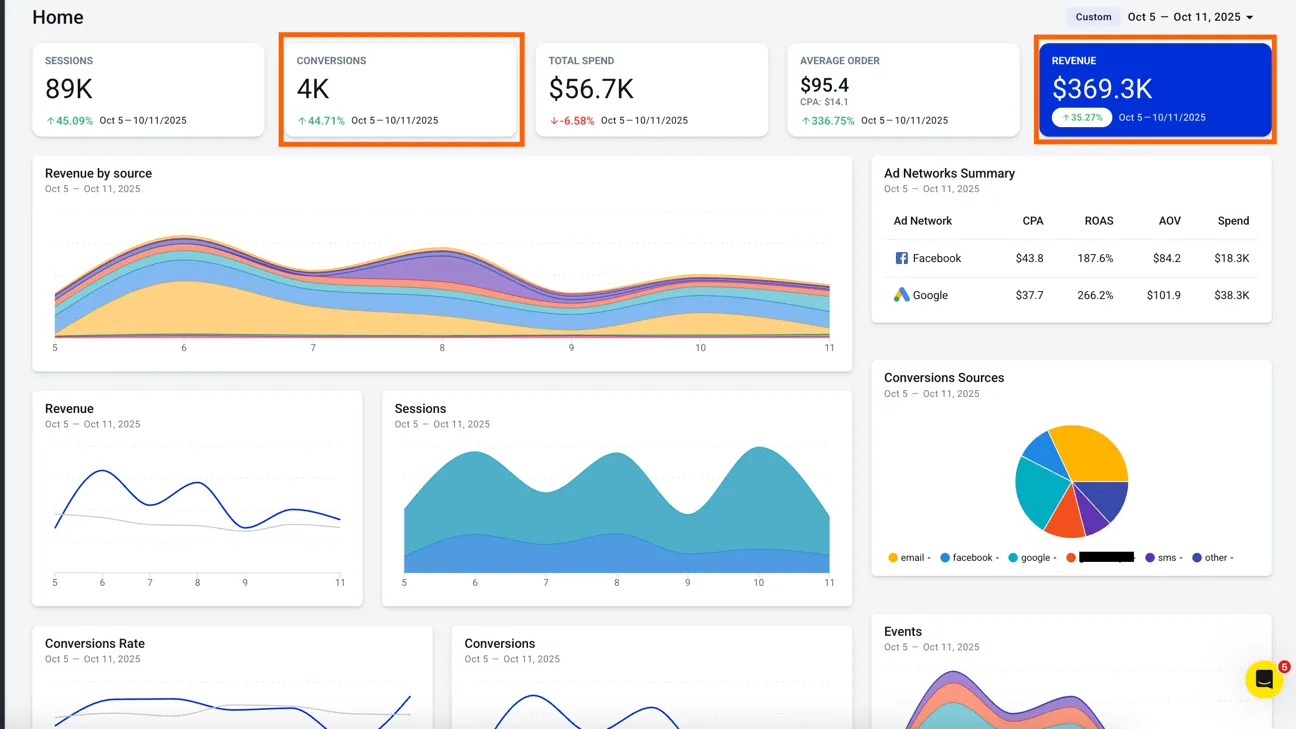
Choose Which Events Count as Revenue
Section titled “Choose Which Events Count as Revenue”By default, only Purchase events count toward revenue. To add the value of another event to revenue, switch that event on as a conversion.
- In the left menu, click Property Settings.
- Select the property in the property selector.
- Click the Settings tab.
- Scroll to the Reports section and click Edit conversion event settings.
- Under Count additional events as conversions, switch an event on to add its value to
revenue. Switch it off to remove its value fromrevenue.
Changes can take some time to show in your reports and dashboard.
Why Use Custom Conversion Events
Section titled “Why Use Custom Conversion Events”Gain more accurate insights into campaign performance and optimize marketing strategies:
- Recover missed
revenue: Include valuable actions beyond purchases - Improve campaign optimization: See the true impact of your marketing efforts
- Refine ROI calculations: Account for all
revenue-generating activities